
I created SimpleTransfer to meet a very concrete need: quickly transfer a file from one device to another without having to email it, open an SSH connection or install an additional tool.
01Two situations that constantly recurred
The first use case concerned transfers between my iPhone and my PC. To quickly move a document, screenshot or file, I regularly ended up emailing it to myself. It worked, but it wasn't elegant or particularly practical.
The second case occurred on a machine that did not allow the transfer of files through the RDP connection. To retrieve or drop a file, I had to open an SSH connection, then use SCP, SFTP, or rsync depending on which command I felt like setting up.
These methods were perfectly technically sound. They were simply disproportionate for a need as basic as: I want to move this file from here to there, right now.
02A deliberately simple solution
So I decided to create a file transfer solution that was simple, fast, temporary and usable without an account.
I did not want to build a new document platform, a collaborative storage space or a competitor to SharePoint. The need was much more limited: to allow a one-off transfer with as little friction as possible.
The interface has therefore been designed to remain deliberately minimalist. The user selects their file, starts the upload and immediately receives the necessary information to download it from another device.
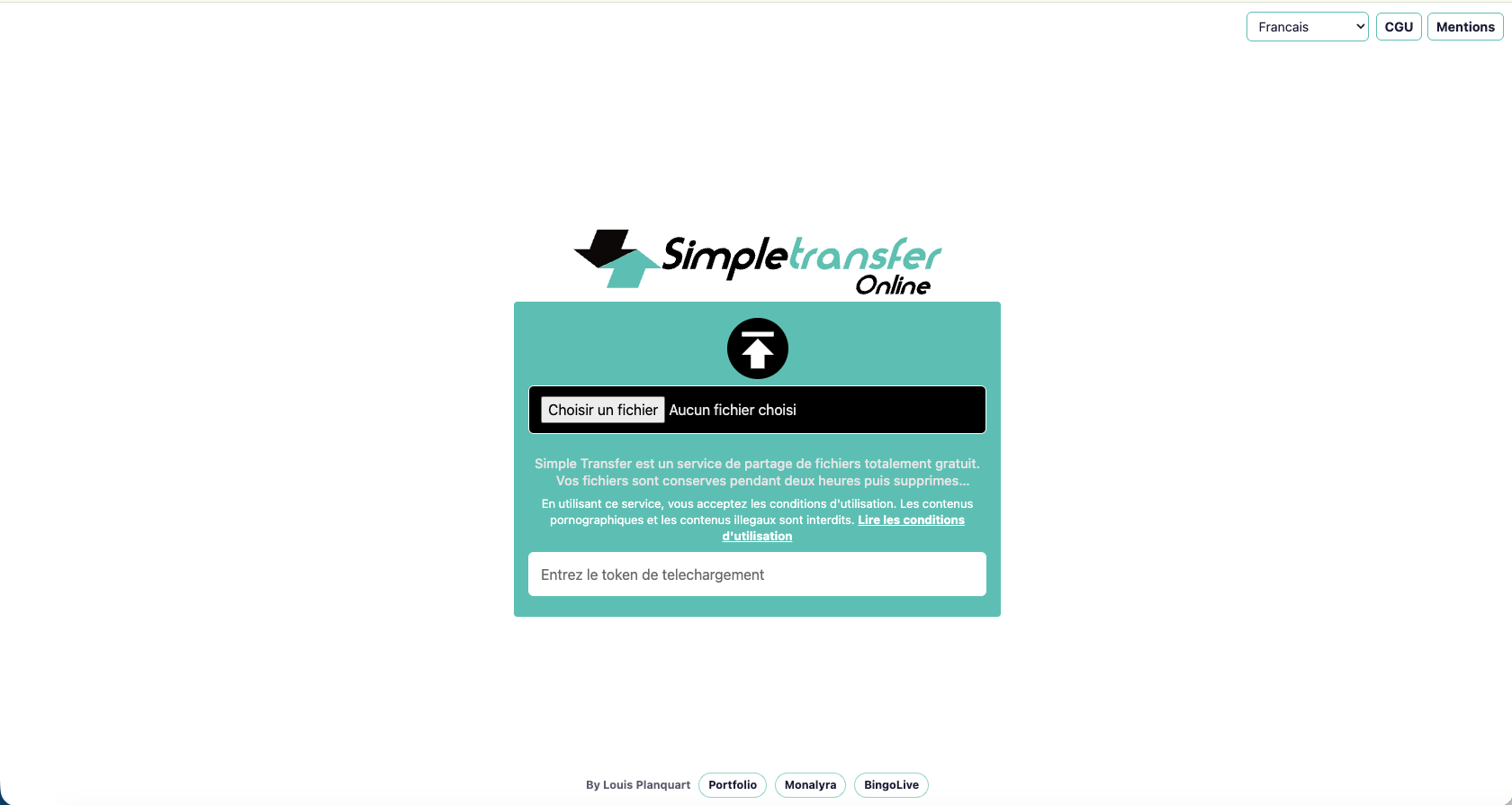
03How does SimpleTransfer work?
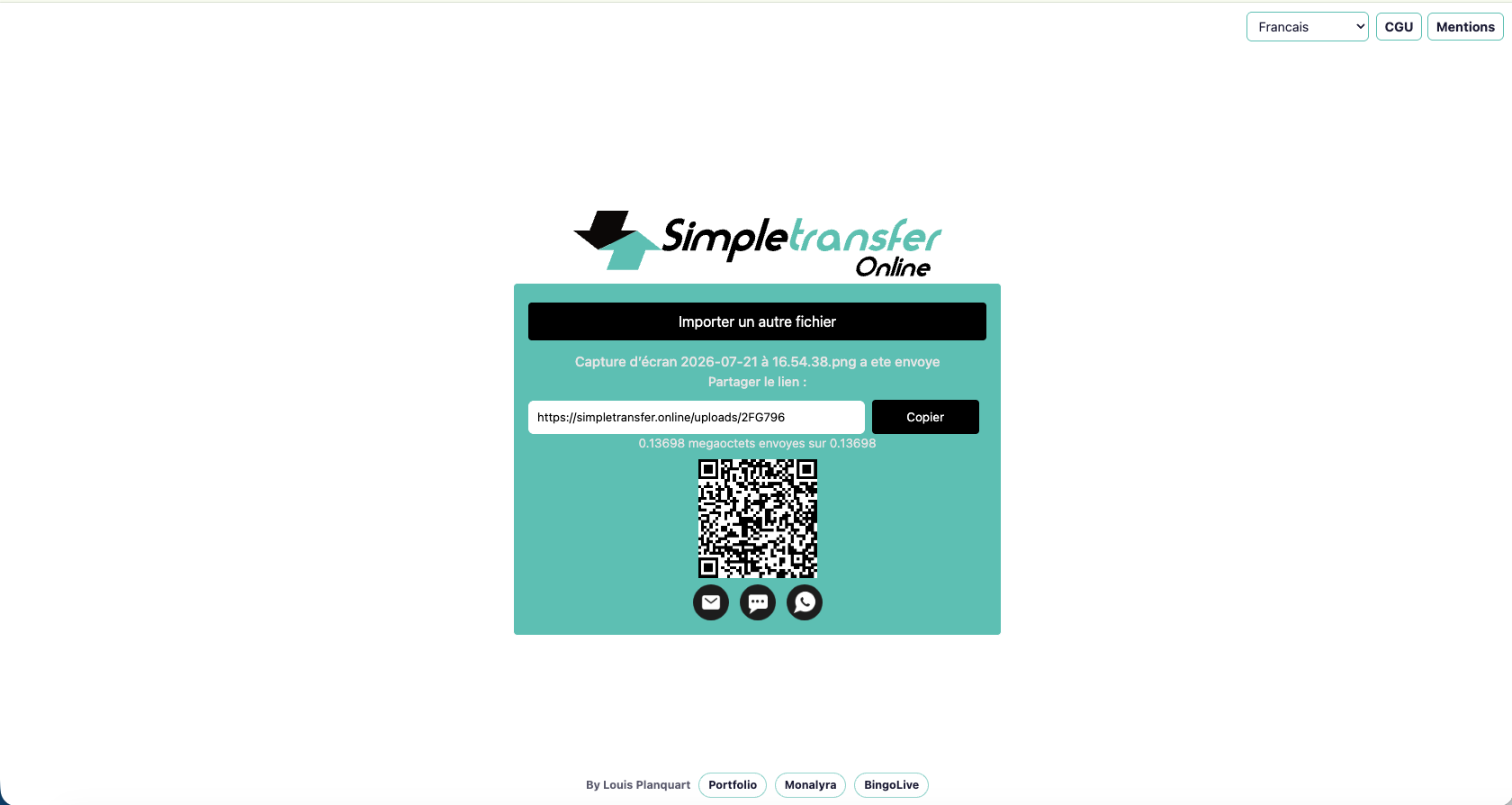
After sending the file, the service generates three elements:
- a download link;
- a QR code, useful for quickly switching from a computer to a phone;
- a token to identify the transfer.
The token generation mechanism was provided to me by Nidal Fakih, from the company Soptimal. I would like to thank him for his contribution.
The file is not intended to remain stored. Two hours after it is sent, it is automatically deleted from the server. The service is designed for temporary transfers, not archiving.
04The original architecture
In its first version, SimpleTransfer was based on two main building blocks: a front end developed in JavaScript and PHP, and a back end exposed in the form of a WINDEV API.
This architecture met the initial need and allowed me to quickly put the service online. Readers of my other articles know, however, that I have since begun the gradual migration of my WINDEV applications to other technologies.
SimpleTransfer has therefore also evolved. The user experience remains deliberately simple, but the project has been modernized under the hood.
05From traditional development to vibe coding
SimpleTransfer is one of my projects initially built by hand, using a classic development approach.
When I started experimenting with vibe coding, the project became a good testing ground. I already knew exactly how it worked, its architecture and its constraints. I could therefore concretely measure what development agents could improve, but also detect their errors.
I took the opportunity to refactor the code, modernize several components and correct various security weaknesses identified in the historical version.
This experience illustrates a use that I find particularly relevant: using AI not only to create new projects, but also to understand, document, modernize and improve the reliability of existing applications.
06Security and service limits
My goal was to offer a temporary transfer without analyzing the contents of the files. The service has not been designed to read documents, extract information from them or create a database from their content.
However, it would be unwise to present any online transfer service as an absolute guarantee of confidentiality. A file necessarily passes through a server, and security depends on the architecture, configuration, access rights and protection mechanisms put in place.
Automatic deletion after two hours limits exposure time. However, it does not transform SimpleTransfer into a digital safe.
07Why make the service free?
The most honest answer is probably: why not?
A domain name and reasonably sized hosting do not represent an excessive cost for this type of project. The service also remains a good showcase for my work and my way of designing simple tools.
According to the service's internal statistics, SimpleTransfer now exceeds 5,000 users per year. Usage remains generally reasonable and users do not abuse the available disk space.
I could have kept the tool for my personal use or hosted it only on my local network. Since it could also be useful to other people, I preferred to make it available for free.
08A project built by several people
Even though I initiated and developed SimpleTransfer, the project is not solely my work.
The logo and visual identity were created by Roger Chaudet Spatiograph.fr, UI/UX designer, whom I thank for the quality of his contribution.
The token generation system was provided by Nidal Fakih, of Soptimal.
SimpleTransfer is a good reflection of how we work as independent professionals. We regularly exchange ideas, components, advice or a few hours of work on our famous evening and weekend projects.
These are rarely the most visible or profitable projects. But these are the projects that allow us to test, learn and continue to practice this profession with passion.
09A small tool, but a real service provided
SimpleTransfer does not aim to revolutionize file sharing. It simply addresses an everyday irritant with a quick, easy-to-understand solution.
This is precisely what I like about this type of project: starting from a very concrete problem, building the tool I need, then discovering that it can also be useful to several thousand other people.
Maybe one day, among all our evening and weekend projects, we'll find the one that really makes a difference. In the meantime, we continue to build, learn and share.



Comments
0 commentsNo published comments yet. Be the first to respond.