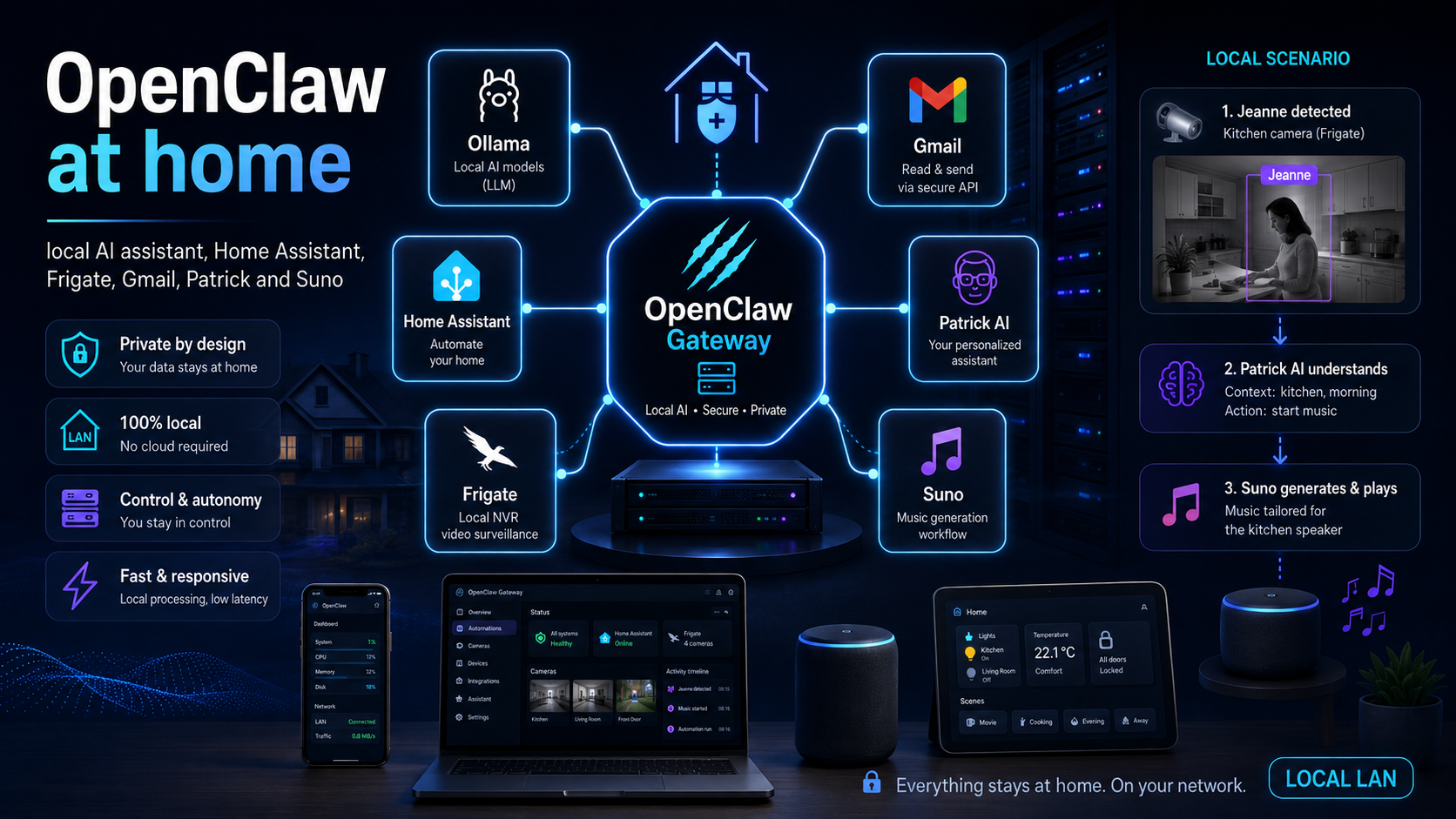
For a long time, I was looking for the use case that would make OpenClaw genuinely useful in my daily life. Yet another chatbot did not save me any time. An assistant able to reason with a local model, run scheduled tasks, query Gmail, read Patrick, talk to Home Assistant, process Frigate events and even prepare a song for my daughter every night is much more interesting.
This article presents the architecture I use and the one I am gradually building in my homelab. The goal is not to publish a configuration containing my IP addresses, credentials, tokens or real Home Assistant entity names. I would rather show a reproducible architecture, the choices that actually worked for me, the limitations I encountered and the security boundaries I deliberately imposed.
Local-first does not mean 100% cloud-free. Gmail remains a Google service and music generation uses Suno's website. However, the OpenClaw Gateway, the main model, Frigate data, home-automation decisions, histories, downloaded MP3 files and logs remain on my network. This distinction matters: my goal is to control every data boundary, not to pretend the Internet no longer exists.
01Why OpenClaw instead of a simple AI chat
A language model on its own can answer questions. OpenClaw adds what is usually missing to turn an answer into an action: an always-on Gateway, persistent sessions, a controllable browser, scheduled tasks, tools, skills, mobile nodes and connections to other systems.
In my case, I wanted a single entry point able to work across several areas:
- my emails and calendar;
- tasks, projects and absences stored in Patrick;
- my Home Assistant setup;
- Frigate events and local cameras;
- my blog and monitoring topics;
- creative automations such as Jeanne's daily song.
The real value does not come from the number of integrations. It comes from the assistant being able to retain context, select a tool, perform an action, observe the result and continue the task.
That is also what makes security more complicated. A chatbot that makes a mistake produces a bad answer. An agent that makes a mistake can send an email, modify a task or trigger a device. The architecture must therefore be designed around permissions, boundaries and verification, not only around the smartest model.
02Overall architecture of my homelab
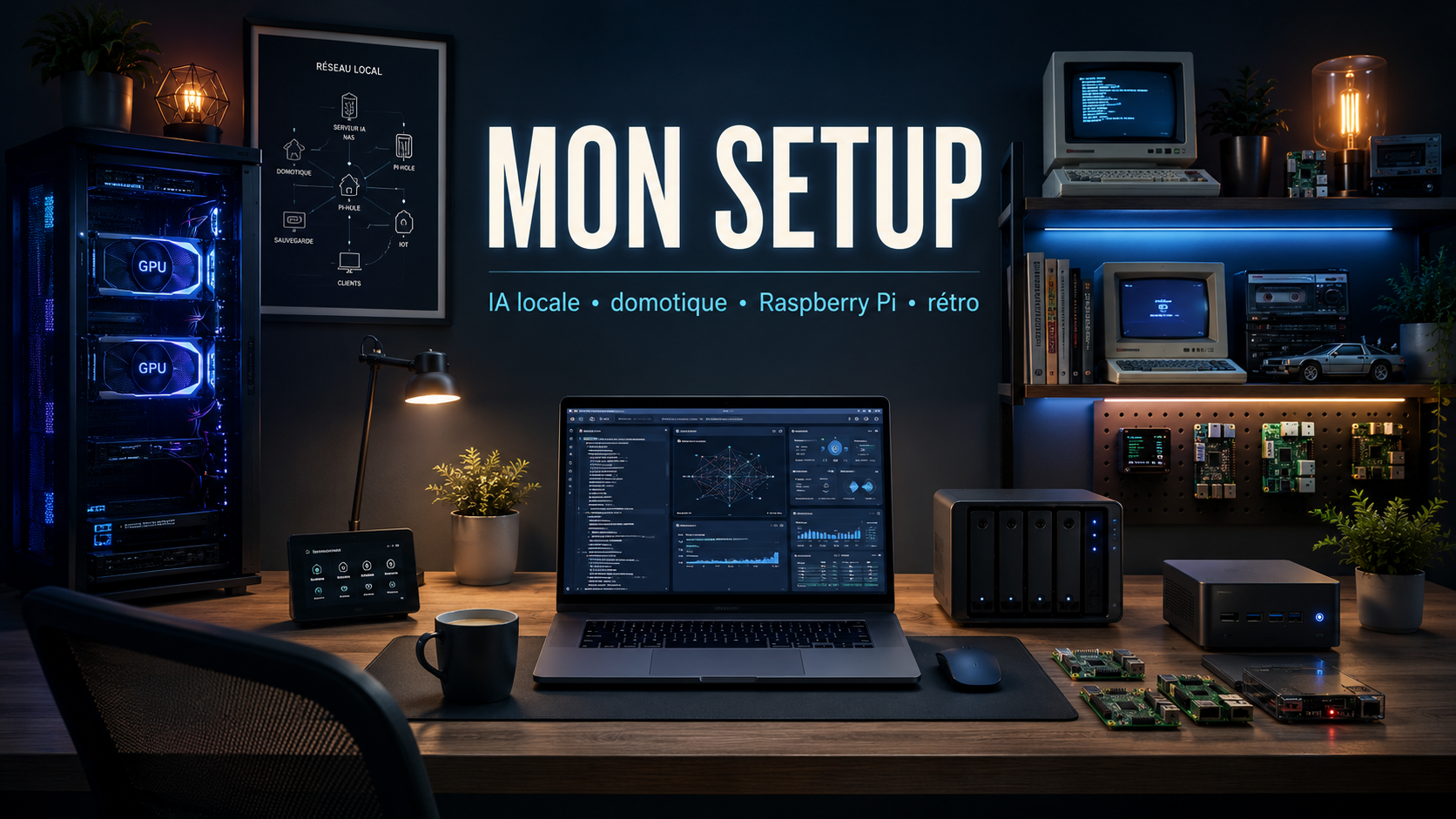
My infrastructure is deliberately separated into several roles. The AI server does not replace Home Assistant, the NAS or the Raspberry Pis. Each component keeps a clear responsibility.
- Ubuntu AI server: Ollama, OpenClaw, local models, history storage and agentic processing.
- Two 12 GB RTX 3060 cards: 24 GB of combined VRAM for quantised models.
- 64 GB of DDR4 and a Ryzen 5600X3D: system memory and CPU capacity for services, overflow and non-GPU tasks.
- Coral USB TPU: dedicated acceleration for detections used by Frigate.
- Home Assistant on a separate machine: home-automation orchestration, helpers, scripts, Google Cast and automations.
- Frigate: object detection, face recognition and MQTT event publication.
- Synology and Raspberry Pi devices: storage, backups and supporting services.
- Mobile nodes: notifications, location or authorised actions depending on each device and its permissions.
[Phone / Mac / WebChat]
             |
             v
      [OpenClaw Gateway]
        |      |      |
        |      |      +--> [Browser skills / gog / himalaya]
        |      |
        |      +---------> [Patrick MCP / Home Assistant MCP]
        |
        +----------------> [Ollama on GPU server]
                              |
                    muse-glimmer / Ornith / vision

[PoE cameras] --> [Frigate] --> [MQTT] --> [Home Assistant]
                                           |
                                           +--> Kitchen Google Cast
                                           +--> Mobile notifications

[OpenClaw + Suno Web] --> Local MP3 --> HA webhook
For remote access, I prefer a VPN such as WireGuard rather than exposing the Gateway, Home Assistant or Ollama directly to the Internet.
03Installing and monitoring the OpenClaw Gateway
OpenClaw is built around a Gateway. It is the control plane responsible for sessions, routing, channels, scheduled tasks, nodes and tool calls.
The recommended installation uses the onboarding wizard:
npm install -g openclaw@latest

openclaw onboard --install-daemon

openclaw gateway status --require-rpc
openclaw channels status --probe
openclaw dashboard
The local dashboard is generally exposed on port 18789 in loopback mode. I do not recommend replacing this behaviour with a public listener before reading the authentication and remote-access options.
The commands I use for routine checks are straightforward:
openclaw gateway status
openclaw gateway restart
openclaw logs --follow
openclaw doctor
In a home production environment, the Gateway must be supervised. On Linux, it can run through a user or system systemd service. The important point is to avoid two competing supervisors trying to restart the same process.
The Gateway is not the model. It remains active even when the local model is stopped or replaced. It is the component that retains scheduling, sessions and the assistant's operational state.
04Ollama: 128k context and VRAM optimisation
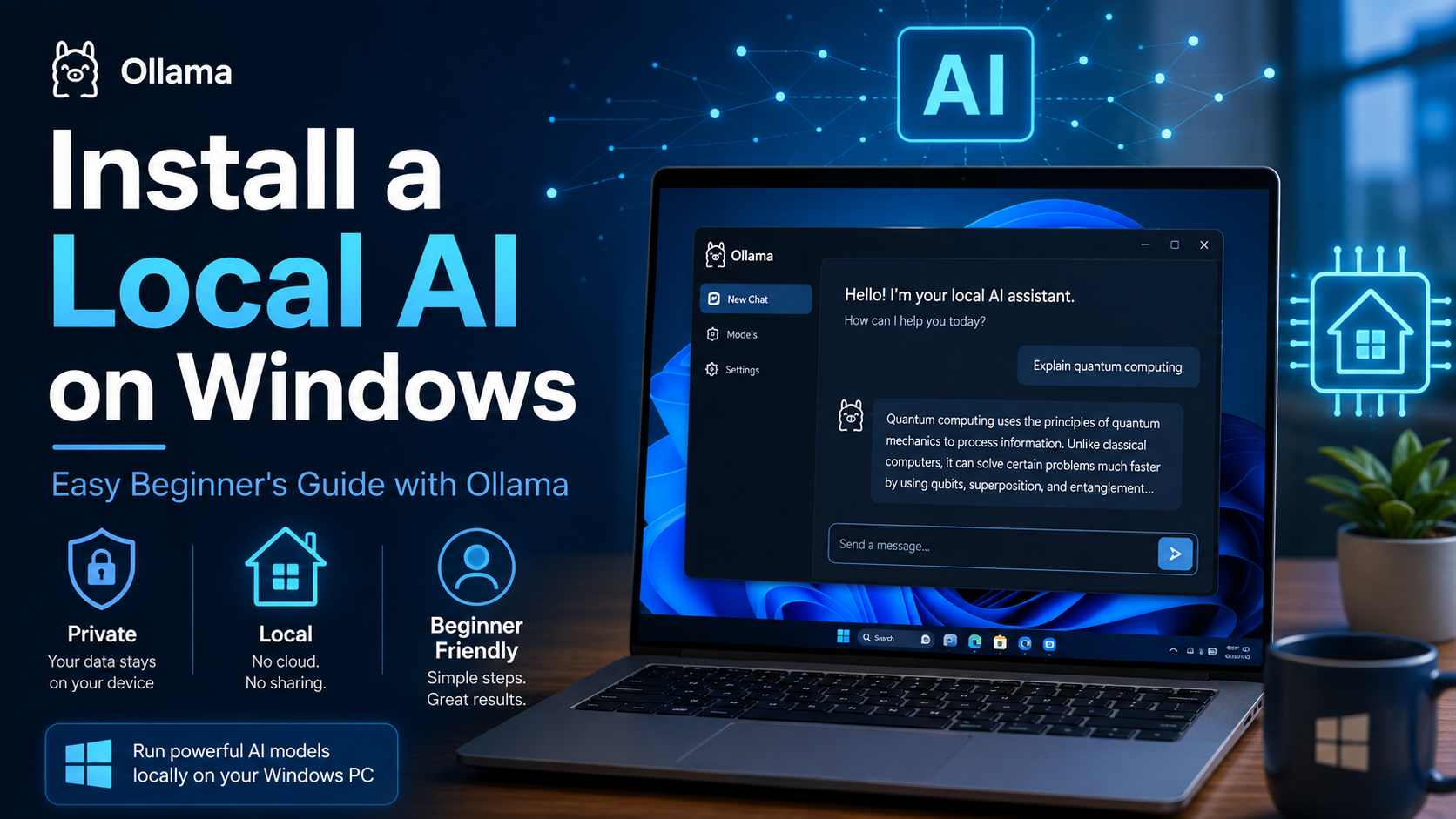
Ollama runs as a service on the GPU server. My goal is to retain enough context for agentic tasks while preventing several models and several parallel requests from competing for the 24 GB of VRAM.
The logic of my systemd override is as follows:
# /etc/systemd/system/ollama.service.d/override.conf
[Service]
Environment="OLLAMA_HOST=0.0.0.0:11434"
Environment="OLLAMA_CONTEXT_LENGTH=128000"
Environment="OLLAMA_FLASH_ATTENTION=1"
Environment="OLLAMA_KV_CACHE_TYPE=q4_0"
Environment="OLLAMA_KEEP_ALIVE=8h"
Environment="OLLAMA_MAX_LOADED_MODELS=1"
Environment="OLLAMA_NUM_PARALLEL=1"
Then:
sudo systemctl daemon-reload
sudo systemctl restart ollama
systemctl status ollama
ollama ps
Why these settings?
OLLAMA_CONTEXT_LENGTH=128000gives the model a large budget for histories, tools and long-running tasks.OLLAMA_FLASH_ATTENTION=1reduces memory pressure when supported by the backend and model.OLLAMA_KV_CACHE_TYPE=q4_0heavily compresses the context cache. It is an aggressive choice that helps a large context fit, with a possible quality trade-off.OLLAMA_KEEP_ALIVE=8havoids reloading the main model for every interaction.OLLAMA_MAX_LOADED_MODELS=1prevents several large models from remaining in memory at the same time.OLLAMA_NUM_PARALLEL=1prevents KV-cache usage from being multiplied across several parallel requests.
OLLAMA_HOST=0.0.0.0:11434 exposes Ollama on every network interface. By default, Ollama does not provide authentication suitable for Internet exposure. The port must remain restricted to the LAN or a trusted VLAN, filtered by the firewall and never forwarded from the router.
With my current configuration, ollama ps shows the main model loaded 100% on the GPU, with a 128k context and an eight-hour keep-alive. That is the result I was looking for: no major CPU offload, because agent performance collapses quickly when the system spends its time moving data between RAM and VRAM.
Connecting OpenClaw to Ollama
OpenClaw uses Ollama's native API. You should not add /v1 to the URL, because the OpenAI-compatible mode may degrade tool-call handling.
Simplified example in ~/.openclaw/openclaw.json:
{
  models: {
    providers: {
      ollama: {
        baseUrl: "http://<OLLAMA_LAN_SERVER>:11434",
        apiKey: "ollama-local",
        api: "ollama",
        timeoutSeconds: 300,
        contextWindow: 128000,
        models: [
          {
            id: "muse-glimmer:latest",
            name: "muse-glimmer:latest",
            input: ["text"],
            params: {
              num_ctx: 128000,
              keep_alive: "8h"
            }
          }
        ]
      }
    }
  },
  agents: {
    defaults: {
      model: {
        primary: "ollama/muse-glimmer:latest"
      }
    }
  }
}
The contextWindow value tells OpenClaw how much context is available. The num_ctx value is sent to Ollama. I prefer to keep them consistent so that OpenClaw does not build a context the backend cannot actually execute.
05Choosing models for each use case
I no longer look for the “best model overall”. I look for the best model my hardware can run properly for a specific task.
| Use case | Model used or tested | Why |
|---|---|---|
| General OpenClaw assistant | muse-glimmer:latest |
The best balance I observed between quality, tool calls and full loading within the available 24 GB of VRAM. |
| Coding and agentic tasks | ornith:35b-q4_K_M |
A specialised model for working on repositories, editing files and pursuing a multi-step objective. |
| Lightweight agent or quick tests | ornith:9b, qwen3:0.6b |
Fast startup and lower consumption, but more limited agentic capability. |
| Local vision | qwen2.5vl:7b or qwen3-vl:4b |
Image description, scene classification and richer notifications. |
| Comparisons and R&D | Qwen 3.5/3.8, Gemma 4, Devstral, GLM | Comparing quality, speed, context capacity and tool reliability. |
My ollama list contains more models, but keeping them on disk does not mean loading all of them. The OLLAMA_MAX_LOADED_MODELS=1 setting forces a clear choice and prevents unnecessary VRAM fragmentation.
Another reality must be kept in mind: a quantised local model with 20 to 35 billion parameters can be extremely useful, but it does not have the same robustness as a large cloud model for long tool chains, ambiguous instructions or content that may contain prompt injections.
06Skills, MCP and permission separation
OpenClaw distinguishes several concepts that are often mixed together:
- the model, which reasons;
- the tool, which performs an action;
- the skill, which explains to the model when and how tools should be used;
- the MCP server, which exposes structured functions provided by an external application;
- the Gateway, which orchestrates the whole system.
An OpenClaw skill is mainly a set of Markdown instructions, often organised around a SKILL.md file. That does not mean any skill should be installed without reading it first.
openclaw skills search "suno"
openclaw skills verify @machinesbefree/suno-browser-songmaking
openclaw skills verify @machinesbefree/suno-browser-songmaking --card
openclaw skills install @machinesbefree/suno-browser-songmaking
A third-party skill must be treated as untrusted until it has been reviewed. Even when it contains only instructions, it may ask the browser to access an authenticated session. I prefer a browser profile dedicated to the relevant service rather than the Chrome profile in which my emails, customer accounts and other applications are already open.
My main integrations
- gog: scriptable access to Gmail, Calendar, Drive, Docs, Sheets and Contacts.
- Himalaya: email management through IMAP, SMTP, Gmail or Microsoft Graph depending on the account.
- Home Assistant MCP: reading home-automation context and performing authorised actions.
- Patrick MCP: reading tasks, projects and absences.
- Browser automation: interaction with web services that do not provide a suitable API.
- blogwatcher: monitoring, source analysis and preparation of blog topics.
As far as possible, I separate read-only integrations from those able to write or trigger an action. A tool that reads the calendar does not need permission to send an email. A Suno workflow does not need a Home Assistant administrator token.
07Gmail and Google Workspace with gog
For Google Workspace, I use gog, a CLI designed for scripts and agents. It exposes stable commands with JSON or simple text outputs that are easy to process.
Examples:
gog gmail search 'newer_than:7d' --max 20
gog calendar events --today
gog drive ls --max 20 --json
Authentication relies on OAuth. Permissions must be limited to the required services, and tokens must remain in the keychain or designated secret store—never in a prompt, a Git repository or a log file.
A first workflow analyses the emails received during the previous 24 hours every morning:
- search for new messages;
- remove obvious noise;
- summarise important topics;
- extract actions and deadlines;
- match the actions with existing projects in Patrick;
- produce a persistent summary in
memory/YYYY-MM-DD-email-summary.md; - send a notification to a mobile node.
I start in read-only mode. Automatic task creation or reply sending should only be enabled after confirming that extraction is reliable and that the model does not turn every sentence into an emergency.
08Patrick AI as a source of operational context
Patrick is my team-management assistant. It centralises tasks, projects, meeting notes, absences and part of the operational context.
I have already written a complete article about how it works: Patrick AI: the team-management assistant.
The MCP integration used by OpenClaw notably exposes read tools:
patrick-read__get-person-open-tasks
patrick-read__get-project-operational-context
patrick-read__get-team-upcoming-time-off
A first name is enough to query a person's tasks; the agent does not need to ask the user for a UUID.
This integration allows OpenClaw to answer requests such as:
- “What open tasks does this person have?”
- “What is the operational context of the IFS project?”
- “Who will be away next week?”
- “Do the actions detected in my emails already exist in Patrick?”
Choosing a read-only surface is deliberate. When OpenClaw is eventually able to create or directly modify tasks, those tools will be separated and governed by stricter rules.
09Home Assistant: conversational control and exposed scope
Home Assistant now provides an official MCP server exposed at /api/mcp. An MCP client can therefore access Assist API tools and the context of authorised entities.
In my architecture, a local MCP bridge can listen on a dedicated internal port before forwarding calls to Home Assistant. This port must not be exposed to the Internet.
Access control is the essential point:
- a dedicated Home Assistant user where possible;
- entities explicitly exposed to Assist;
- no access to unnecessary domains;
- no lock, gate or sensitive action available without an additional rule;
- logging of important calls.
Conversational commands then become possible:
- “Turn off the living-room lights”;
- “What is the status of the heat pump?”;
- “Enable night mode”;
- “Give me the temperatures in the main rooms.”
The Suno use case is deliberately different. Even though OpenClaw has a Home Assistant integration for some tasks, the morning-song workflow receives no Home Assistant token. It uses only a dedicated, local and hard-to-guess webhook. This separation greatly reduces the consequences of a browser or Suno-skill error.
10Frigate: separating face recognition from generative vision
Frigate performs object detection and face recognition locally. When a recognition occurs, it publishes a frigate/tracked_object_update MQTT message containing fields such as:
{
  "type": "face",
  "id": "...",
  "name": "Jeanne",
  "score": 0.95,
  "camera": "camera_cuisine",
  "timestamp": 178...
}
Frigate must remain the source of truth for a person's identity. A vision model such as Qwen VL can describe a scene, clothes, a parcel or the surrounding context. It should not be used to improvise someone's identity from a single image.
I therefore separate two pipelines:
- Identity recognition: Frigate, a local face database, a known score and a known camera.
- Optional semantic description: a local vision model enriching a notification, for example “person wearing a red coat and carrying a bag”.
This distinction avoids a common mistake: asking the LLM “Who is in the image?” and treating its answer as a fact. The generative model can hallucinate. Frigate produces a structured name, score and camera identifier.
In sensitive automations, I always filter:
- the event type;
- the real technical name returned by Frigate;
- the exact camera;
- a configurable minimum score;
- any relevant zones.
11Main use case: Jeanne's morning song
This is probably the most unnecessarily complex and most entertaining automation in my setup.
Every night, OpenClaw prepares an original song for Jeanne. In the morning, the song does not start at a fixed time. Home Assistant waits for Frigate to recognise Jeanne in the kitchen, on one specific camera, and then plays the track on the Google Cast device in that same room.
02:00
OpenClaw
   |
   +--> history of the last 30 songs
   +--> morning weather
   +--> concept + lyrics + style
   +--> authenticated Suno browser
   +--> generation and selection
   +--> MP3 download
   +--> local storage + HTTP URL
   +--> POST Home Assistant webhook
                         |
                         v
                  song ready = yes

06:30 - 10:30
Kitchen Frigate camera
   |
   +--> type = face
   +--> name = Jeanne
   +--> score >= 0.80
                         |
                         v
                 Home Assistant
                         |
                         +--> one playback per day
                         +--> Kitchen Google Cast
11.1 A very clear security boundary
OpenClaw handles only:
- creating the song;
- interacting with Suno;
- downloading the file;
- making the MP3 available locally;
- sending the webhook notification.
Home Assistant handles only:
- waiting for the morning;
- Frigate MQTT events;
- recognising Jeanne;
- the authorised camera;
- the allowed time window;
- duplicate prevention;
- the volume and the kitchen Google Cast.
OpenClaw never controls the Google Home directly. It receives no Home Assistant administrator token and does not attempt to recognise Jeanne itself.
11.2 Installing and checking the Suno skill
I do not use a third-party Suno API. The @machinesbefree/suno-browser-songmaking skill automates the website through a persistent browser session.
openclaw skills verify @machinesbefree/suno-browser-songmaking
openclaw skills install @machinesbefree/suno-browser-songmaking
The skill is essentially a browser runbook: gather a brief, write the lyrics, switch to custom mode, enter the lyrics and style tags, start generation and inspect the results.
I use a browser profile dedicated to Suno. When a new login is required, I complete it manually in that profile. The agent never receives the password in plain text.
11.3 Scheduling the job at 02:00
OpenClaw has its own Cron scheduler. Jobs are stored by the Gateway and survive Gateway restarts.
Example of an isolated job:
openclaw cron create "0 2 * * *" \
  --name "Jeanne - morning song" \
  --session isolated \
  --tz "Europe/Paris" \
  --exact \
  --model "ollama/muse-glimmer:latest" \
  --tools "browser,exec,read,write" \
  --timeout-seconds 3600 \
  --message "Run the documented workflow for creating Jeanne's daily song. One real generation only, history required, local storage, HTTP check, then webhook notification."
The task is isolated so that it does not pollute the main conversation. The timeout is deliberately generous because generation and downloading through a web service can take time.
11.4 Producing genuinely different songs
The hardest part is not generating a song. It is avoiding the same song every day with only three words changed.
Each run reads a persistent history, for example:
{
  "date": "2026-08-20",
  "title": "Jeanne and the Spider Who Danced Disco",
  "story": "A spider teaches Jeanne a magical dance",
  "characters": ["Jeanne", "Disco Spider"],
  "style": "children's disco funk",
  "weather": "sunny",
  "filename": "2026-08-20-jeanne-spider-disco.mp3",
  "media_url": "http://<OPENCLAW_SERVER>:8088/music/jeanne/2026/08/..."
}
Before creating a new concept, the agent reviews at least the last 30 songs and pays particular attention to the previous seven days.
It avoids:
- the same theme on two consecutive days;
- the same musical style;
- the same central character;
- the same story structure;
- repetitive choruses and wording.
Roughly one song in five should use an entirely original world. Jeanne likes witches, spiders, little bears, magical stories, adventures and several familiar universes, but the prompts never ask Suno to copy an existing song, lyrics, melody or the exact style of an artist.
The morning weather is used only as inspiration:
- rain: magical boots, puddles and frogs;
- sun: garden, treasure and picnic;
- wind: kite or a journey through the clouds;
- snow: little bear and snow castle;
- fog: a funny magical forest.
If the weather is unavailable, the song must still be generated. A source of inspiration should never become a mandatory point of failure.
11.5 Lyrics and musical description
The lyrics are written in French for a five-year-old child, with a target duration of two to three minutes.
Preferred structure:
Short intro
Verse 1
Chorus
Verse 2
Chorus
Bridge
Final chorus
Conclusion
The tone remains cheerful, funny, reassuring and magical. Witches, spiders or monsters may appear, but they remain kind or amusing.
The styles vary widely: children's pop, pop-rock, disco, funk, synthpop, swing, cheerful jazz, folk, fairy-tale music, orchestral adventure or light electronic music.
11.6 Storing and serving the MP3
The file is not merely downloaded. It must be served over HTTP so that the Chromecast can retrieve it directly.
Directory structure:
/srv/openclaw/music/
└── jeanne/
    └── 2026/
        └── 08/
            └── 2026-08-20-jeanne-spider-disco.mp3
Example of a minimal HTTP server using Nginx in Docker:
services:
  jeanne-music:
    image: nginx:alpine
    restart: unless-stopped
    ports:
      - "8088:80"
    volumes:
      - /srv/openclaw/music:/usr/share/nginx/html/music:ro
The URL then becomes:
http://<OPENCLAW_LAN_IP>:8088/music/jeanne/2026/08/file.mp3
The port must remain reachable only from the LAN. The volume is mounted read-only and no other server directory is exposed.
Before calling Home Assistant, OpenClaw verifies that the URL responds correctly and that the MIME type allows MP3 playback.
11.7 Notifying Home Assistant without giving it a token
The webhook does not trigger immediate playback. It only announces that the song of the day is ready.
{
  "date": "2026-08-20",
  "title": "Jeanne and the Spider Who Danced Disco",
  "media_url": "http://<OPENCLAW_IP>:8088/music/jeanne/2026/08/file.mp3",
  "filename": "file.mp3",
  "style": "children's disco funk",
  "story": "Jeanne meets a spider who loves dancing",
  "weather": "sunny"
}
Test:
curl -X POST \
  -H "Content-Type: application/json" \
  -d '{
    "date":"2026-08-20",
    "title":"Jeanne test",
    "media_url":"http://<OPENCLAW_IP>:8088/music/jeanne/test.mp3"
  }' \
  "http://<HOME_ASSISTANT_IP>:8123/api/webhook/<RANDOM_SECRET>"
On the Home Assistant side:
trigger:
  - platform: webhook
    webhook_id: !secret suno_daily_webhook_id
    allowed_methods:
      - POST
    local_only: true
The webhook identifier must be long, random and treated like a password. It must never appear in the article, a public repository or a screenshot.
11.8 The Home Assistant state machine
Home Assistant stores at least the following states:
input_boolean.suno_daily_enabled;input_boolean.suno_daily_ready;input_boolean.suno_daily_played;input_text.suno_daily_title;input_text.suno_daily_media_url;input_text.suno_daily_date;input_number.suno_daily_volume;input_number.suno_daily_face_score;input_datetime.suno_daily_start_time;input_datetime.suno_daily_end_time.
Initial values:
- volume: 35%;
- minimum face score: 0.80;
- start: 06:30;
- end: 10:30;
- one playback per day.
The webhook checks that the received date matches the current day, stores the title and URL, enables ready and resets played to false.
An automation at 00:05 resets the states. If generation fails during the night, the previous day's song therefore cannot be replayed by mistake.
11.9 Triggering only for Jeanne, in the kitchen
The MQTT trigger listens to:
frigate/tracked_object_update
The logical condition is strictly equivalent to:
type == "face"
AND name == ACTUAL_FRIGATE_VALUE_FOR_JEANNE
AND camera == ACTUAL_KITCHEN_CAMERA_9_VALUE
AND score >= configurable_threshold
AND time between 06:30 and 10:30
AND song ready
AND song date == today
AND song not played
AND kitchen Google Cast available
The technical name of the camera, Jeanne or the media_player must never be invented. They must be read from Frigate and Home Assistant during installation.
The following cases trigger nothing:
- Louis is recognised;
- another person is recognised;
- a simple
persondetection; - Jeanne is recognised on another camera;
- an insufficient score;
- an event outside the allowed time window;
- an old or already played song.
11.10 Duplicate prevention and race conditions
Frigate may publish several recognitions within a few seconds. A simple played == false condition is not always enough if two executions start at the same time.
The robust strategy combines:
- a Home Assistant automation using
mode: single; - an optional but recommended temporary
in_progresslock; - a separate playback script;
- a short wait for the player to enter the
playingstate; - setting
playedto true only after the playback command has been sent.
The script:
- selects the kitchen Google Cast;
- sets the volume;
- calls
media_player.play_media; - uses the received URL;
- provides the title when supported by the player.
11.11 Error handling
- Suno unavailable: retry reasonably during the night.
- Expired session: stop cleanly and request a manual login.
- Generation failed: retry without consuming an uncontrolled amount of credits.
- Download failed: resume the download without recreating the song.
- HTTP server unavailable: do not notify Home Assistant until the file can be read.
- Webhook unavailable: keep the MP3 and retry only the notification.
- Nightly failure: never silently replace today's song with yesterday's.
12OpenClaw as a monitoring and blogging assistant
OpenClaw can also become an entry point for my monitoring activities: watch OpenClaw, Ollama, Home Assistant, Frigate, IFS or PC SOFT releases, find topics I have already covered and prepare a list of ideas.
I do not want it to publish automatically. It can:
- collect sources;
- detect changes;
- connect a topic with my previous articles;
- prepare a structure;
- flag claims that need verification;
- propose a draft.
Publication remains a human action, because a factual error or a bad interpretation must not automatically become a public article.
13Security, privacy and reducing the blast radius
The main risk of an agent is not that it is “intelligent”. It is that it has too many permissions.
My main rules are:
- the Gateway is not directly exposed to the Internet;
- remote access uses WireGuard or another VPN;
- Ollama is restricted to the LAN and filtered;
- third-party skills are checked and read before installation;
- dedicated browser profiles are used for automated services;
- OAuth credentials and tokens are stored in a keychain or secret manager;
- separate agents and workspaces are used for professional and family contexts;
- write tools are separated from read tools;
- Home Assistant is limited to exposed entities;
- the Suno webhook is local, POST-only and uses no HA token;
- local logs have a controlled retention period;
- no secret is stored in Git, prompts or articles.
Local models do not remove the risk of prompt injection. An email, web page or document can contain instructions intended to hijack the agent. The smaller or more heavily quantised the model, the more important it is to restrict available tools and require confirmations before impactful actions.
14The real limits of a local agent
A 128k context is expensive
A large context improves long-running tasks, but greatly increases KV-cache consumption. q4_0 quantisation helps it fit, at the cost of a trade-off.
A local model does not always replace a large cloud model
For a simple conversation, muse-glimmer gives me very good results. For complex agents with many tools, a local model may loop, forget a constraint or misinterpret a result.
Mobile nodes consume battery
Location, movement, capture and notification functions depend on operating-system permissions and may be restricted when the phone aggressively optimises background applications.
OAuth and web sessions expire
Gmail, Google Workspace and Suno may require a new login. A good automation should stop clearly rather than trying to work around a login page.
Local infrastructure requires operations work
Services, backups, disks, VRAM, updates, certificates and logs must be monitored. The cloud hides part of this work; local infrastructure gives it back to you.
15What this architecture actually changes
OpenClaw starts to deliver value when I stop treating it as a chat interface and start treating it as an orchestrator.
Ollama provides local reasoning. OpenClaw provides sessions, scheduled tasks, tools and the browser. Home Assistant retains control over home-automation decisions. Frigate remains responsible for recognition. Patrick provides business context. Suno generates music within a clearly identified boundary.
Every component has a responsibility and, more importantly, every integration has a different level of trust.
The result is not an all-powerful assistant holding an administrator token for the entire house. It is a collection of limited, observable and replaceable workflows.
And that is probably the most important lesson: to make an agent genuinely useful, do not begin by giving it every permission. Begin with a precise need, a clear boundary, a reproducible test and a simple way to stop it.
Key takeaways
- OpenClaw is the Gateway and orchestrator; Ollama remains the inference engine.
- My AI server uses two 12 GB RTX 3060 cards and a 128k context.
- The main model remains loaded for eight hours, and only one large model is loaded at a time.
- OpenClaw should use Ollama's native API, without the
/v1suffix. - Third-party skills must be checked and read before installation.
- gog provides an agent-friendly interface to Gmail and Google Workspace.
- Patrick MCP supplies context about tasks, projects and absences.
- Home Assistant MCP is limited to the entities that are actually needed.
- Frigate remains the source of truth for face recognition; the vision LLM is used only to describe or enrich.
- Jeanne's song is generated at 02:00, stored locally and then announced to Home Assistant through a webhook.
- Only recognition of Jeanne on kitchen camera 9 can start the song.
- Playback occurs only on the kitchen Google Cast, between 06:30 and 10:30, once per day.
- OpenClaw receives no Home Assistant token for this Suno workflow.
- The architecture is local-first, but Gmail and Suno remain clearly identified cloud services.
Sources and documentation
- OpenClaw — official documentation
- OpenClaw — Gateway and operations
- OpenClaw — Ollama provider
- OpenClaw — scheduled Cron jobs
- OpenClaw — skills and security
- ClawHub — Suno Browser Songmaking skill
- Ollama — context length
- Ollama — keep-alive, Flash Attention and KV cache
- Home Assistant — MCP server
- Home Assistant — webhook triggers
- Frigate — face recognition
- Frigate — MQTT messages
- Frigate — generative-AI object descriptions
- gog — Google Workspace CLI
- Himalaya — email CLI
- Patrick AI — my detailed article
This article describes a personal architecture and deliberately anonymised extracts. IP addresses, entity identifiers, technical camera names, tokens and secrets must be determined for each installation and must never be copied from a public article.
Model names and sizes are a snapshot of my environment. The OpenClaw, Ollama, Frigate and Home Assistant catalogues evolve rapidly; always consult the documentation for the version actually installed.
Face recognition, cameras and image retention must be configured with regard to the intended use, the people concerned, the security of the installation and the obligations applicable to your situation.
Comments
0 commentsNo published comments yet. Be the first to respond.